iClipper: iPhone Copy and Paste without JailBreaking
The iPhone. Almost perfect but not quite. Great interface, interesting apps, and that certain Apple je ne sais quoi. Yet a basic feature like copy and paste remains one of the single most requested features. Not that there haven't been attempts. But we just tested a very promising bookmarklet that allows iPhone users to copy and paste Web content to an email with two clicks. Meet iClipper.
Granted, a number of the ReadWriteWeb folks are proponents of jailbreaking your iPhone to get all the functionality you need. But iClipper gives you copy and paste without violating your terms of service - and without using a third party site to act as an intermediary. (To confirm this, we performed the test below in airplane mode.)
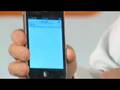
To use iClipper, just navigate to the page, select the bookmarklet, and tap the area you'd like to copy. iClipper will automatically take the "block level" area you've selected - the area gated by P, LI, DIV, DD, TD, TEXTAREA, or PRE markup - and place it into an email for you to send to yourself or whomever you like.