Kindle for iPhone Walkthrough
We just downloaded and installed the Kindle for iPhone app and you can color me impressed. Not only do you get - almost - the same reading experience you get on the Kindle this essentially opens to ebook market up in ways that could change the whole "reading a book" industry.
The download is free and opens a small window asking you for your Amazon account.
It then brings up a screen showing the books in your archive and, most importantly, adds your iPhone to the Kindle download page. A few clicks later you’re reading your book.
Photo Gallery by Picturesurf
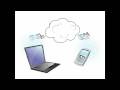
You can scroll back and forth with one finger, add bookmarks, and jump to sections in the book. You can also sync your current page across different devices, which means you never lose your place.
Purchasing is hobbled by Apple’s messy EULA - you can’t sell third-party things through an app in an app store, thereby making an app store in the app store and causing a singularity that would destroy the iPhone and those in the general vicinity, and you can’t read newspapers and magazines. To purchase books you’re sent to Amazon on mobile Safari or back to your desktop.





 :
: